Website Accessibility Basics for Small Businesses
An accessible website works better for everyone. Here are the essentials small businesses should understand and check.
Verity Consultants · 18 October 2026 · 9 min read

Website accessibility means making sure people can use your website regardless of disability, device or circumstances. That includes people who are blind or partially sighted, have limited movement, are deaf, have cognitive differences, or are simply using a phone in bright sunlight.
This article is a practical introduction, not legal advice or an accessibility certification.
Why accessibility matters for businesses
- More customers can use your site. Many people in the UK have a disability, and many more have temporary or situational limitations.
- Better usability overall. Clear headings, readable text and simple forms help everyone.
- Legal context. Under the Equality Act 2010, service providers must make reasonable adjustments for disabled people. The Equality and Human Rights Commission provides guidance for service providers. Public sector bodies have additional specific accessibility regulations; most private businesses do not, but the Equality Act still applies.
- Overlap with SEO. Accessible structure, such as proper headings and descriptive link text, also helps search engines understand your pages.
The standard: WCAG
The Web Content Accessibility Guidelines (WCAG), published by the W3C, are the widely used reference. The current version is WCAG 2.2, and level AA is the usual target. WCAG is built on four principles:
| Principle | Meaning | Example |
|---|---|---|
| Perceivable | Content can be seen or heard | Images have text alternatives |
| Operable | It can be used with different inputs | Everything works with a keyboard |
| Understandable | Content and controls are clear | Forms explain errors |
| Robust | It works with assistive technology | Code follows standards |
- Principle
- Perceivable
- Meaning
- Content can be seen or heard
- Example
- Images have text alternatives
- Principle
- Operable
- Meaning
- It can be used with different inputs
- Example
- Everything works with a keyboard
- Principle
- Understandable
- Meaning
- Content and controls are clear
- Example
- Forms explain errors
- Principle
- Robust
- Meaning
- It works with assistive technology
- Example
- Code follows standards
Common problems on small business sites
Low colour contrast
Pale grey text on white, or text over busy images, is hard to read. WCAG AA requires a contrast ratio of at least 4.5:1 for normal text.
Missing or unhelpful alt text
Meaningful images need a short description. Decorative images should have empty alt text so screen readers skip them.
Headings used for styling
Headings should follow a logical order, with one main H1 per page, so people using screen readers can navigate.
Vague link text
"Click here" tells nobody where a link goes. Descriptive links such as "view our kitchen installation projects" are clearer.
Inaccessible forms
Fields without labels, errors shown only in red, and CAPTCHAs that cannot be completed are common barriers. See writing a contact page that generates enquiries.
Keyboard traps
Menus, pop-ups and cookie banners that cannot be operated or closed with a keyboard.
Video without captions
Captions help deaf viewers and anyone watching without sound.
Simple checks you can do yourself
- Keyboard test: use Tab, Shift+Tab and Enter to move through your homepage and contact form. Can you see where you are and reach everything?
- Zoom test: zoom your browser to 200%. Does content still fit and remain usable?
- Contrast check: use a free contrast checker on your main text and button colours.
- Image check: review alt text on key images.
- Headings check: browser extensions can list your headings in order.
- Mobile check: can you complete your form one-handed on a phone?
The UK Government's guidance on making your service accessible is a helpful, plain-English resource even for private businesses.
About accessibility overlays
Some tools promise to make a site accessible by adding a script or widget. These do not fix underlying problems in the design and code, and they can create new difficulties for assistive technology users. Fixing the site itself is the reliable approach.
Building accessibility in
Accessibility is cheapest when considered from the start: in colour choices, typography, layout and forms. On an existing website, an audit can identify the most significant issues to prioritise.
Next steps
We consider accessibility as part of our web design and website development work. If you want to know where your current site stands, our Website & SEO Audit includes a review of key accessibility issues. For a specialist conformance assessment, use a dedicated accessibility auditor.
Discuss your website project
Tell us what your business needs and we'll explain how we'd approach it — no obligation.
Start your projectRelated reading

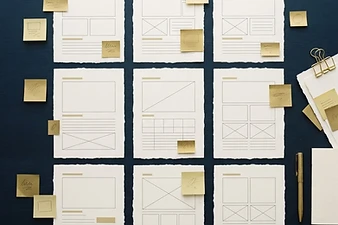
Planning Website Content Before a New Build
Content is the most common cause of delayed website projects. Planning it early gives you a better site, sooner.
Read article

Writing a Contact Page That Generates Enquiries
Your contact page is where interest becomes an enquiry. Small changes here can make a real difference.
Read article

How to Choose a Website Design Company in the UK
Choosing a web designer is a business decision, not just a creative one. Here is how to compare options with confidence.
Read article