Core Web Vitals Explained for Business Owners
Core Web Vitals measure how fast, responsive and stable your pages feel. Here is what each one means and how to check yours.
Verity Consultants · 18 October 2026 · 8 min read
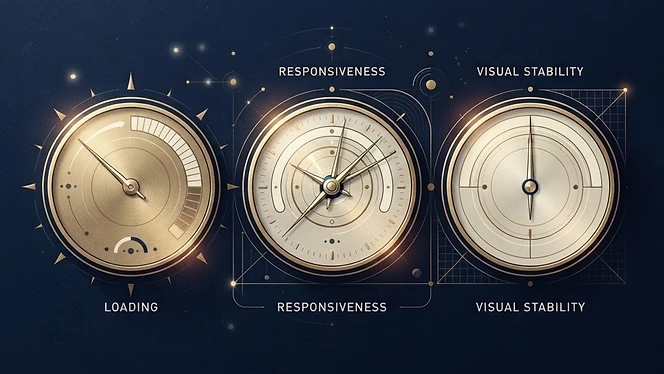
Core Web Vitals are a set of measurements Google uses to describe how a web page feels to real visitors. They focus on three things: how quickly the main content appears, how quickly the page responds when someone interacts with it, and whether the layout jumps around while loading.
For the broader picture of why speed matters to visitors, read how website speed affects user experience. This article explains the three metrics themselves.
The three Core Web Vitals
| Metric | What it measures | "Good" threshold |
|---|---|---|
| Largest Contentful Paint (LCP) | How long the main content takes to appear | 2.5 seconds or less |
| Interaction to Next Paint (INP) | How quickly the page responds to taps, clicks and key presses | 200 milliseconds or less |
| Cumulative Layout Shift (CLS) | How much the layout unexpectedly moves | 0.1 or less |
- Metric
- Largest Contentful Paint (LCP)
- What it measures
- How long the main content takes to appear
- "Good" threshold
- 2.5 seconds or less
- Metric
- Interaction to Next Paint (INP)
- What it measures
- How quickly the page responds to taps, clicks and key presses
- "Good" threshold
- 200 milliseconds or less
- Metric
- Cumulative Layout Shift (CLS)
- What it measures
- How much the layout unexpectedly moves
- "Good" threshold
- 0.1 or less
These thresholds come from Google's web.dev guidance on Core Web Vitals. A page is assessed against them at the 75th percentile of real visits, which means most visitors should have a good experience, not only those on fast connections.
INP replaced an earlier metric, First Input Delay, in March 2024.
Largest Contentful Paint (LCP)
LCP is usually the hero image or main heading. Common causes of slow LCP:
- Very large, unoptimised images.
- Slow hosting or server response.
- Fonts and scripts that block the page from displaying.
- The main image being loaded late.
Interaction to Next Paint (INP)
INP reflects how responsive a page feels. Poor INP is usually caused by heavy JavaScript, such as large page builders, chat widgets and multiple tracking scripts competing for the browser's attention.
Cumulative Layout Shift (CLS)
CLS measures the annoying jump when text moves as an image, advert or cookie banner loads, sometimes making you tap the wrong thing. Typical fixes include reserving space for images and embeds, and loading banners without pushing content down.
How to check your scores
- PageSpeed Insights shows real-user data (where enough exists) and a lab test for any URL.
- Google Search Console includes a Core Web Vitals report grouping similar pages across your site. Our guide to Google Search Console explains how to use it.
Lab tests and real-user data often differ. Real-user data reflects actual visitors; lab tests are useful for diagnosing problems.
Do Core Web Vitals affect rankings?
Google uses page experience signals, including Core Web Vitals, as part of its ranking systems, but describes relevance and helpful content as far more important. Google's page experience documentation is clear that good scores alone do not guarantee rankings. Treat them primarily as a way to improve the experience for visitors.
What business owners should do
- Check your key pages: homepage, main services and contact.
- Focus on mobile results first.
- Prioritise pages that attract visitors and enquiries.
- Fix the biggest causes rather than chasing a perfect score.
- Recheck after changes, remembering real-user data takes time to update.
A worked example
Imagine a restaurant homepage with a large hero photograph, a booking widget and a cookie banner. On mobile its LCP is poor because the hero image is several megabytes, and its CLS is poor because the booking widget loads late and pushes the menu down. Practical fixes would be serving a properly sized, compressed image, telling the browser to load it early, and reserving space for the widget. None of this requires rebuilding the website.
Common mistakes
- Chasing a score of 100. A good real-user experience matters more than a perfect lab score.
- Testing only the homepage on desktop. Service pages on mobile are often where problems and customers both are.
- Adding scripts without review. Each chat tool, tracker or social feed adds work for the browser.
- Expecting immediate changes. Real-user data in Search Console is based on a rolling 28-day period.
Questions to ask your web provider
- Which of our pages fail Core Web Vitals, and why?
- Which third-party scripts can be removed or delayed?
- Are images resized and served in modern formats?
- How will changes be measured?
Next steps
Performance is part of every Website & SEO Audit we carry out, and it is built into our website development process. Mobile design and speed are closely linked; see why mobile website design matters.
Discuss your website project
Tell us what your business needs and we'll explain how we'd approach it — no obligation.
Start your projectRelated reading


Planning Website Content Before a New Build
Content is the most common cause of delayed website projects. Planning it early gives you a better site, sooner.
Read article

Website Accessibility Basics for Small Businesses
An accessible website works better for everyone. Here are the essentials small businesses should understand and check.
Read article

Writing a Contact Page That Generates Enquiries
Your contact page is where interest becomes an enquiry. Small changes here can make a real difference.
Read article